



Using Group By and Sum
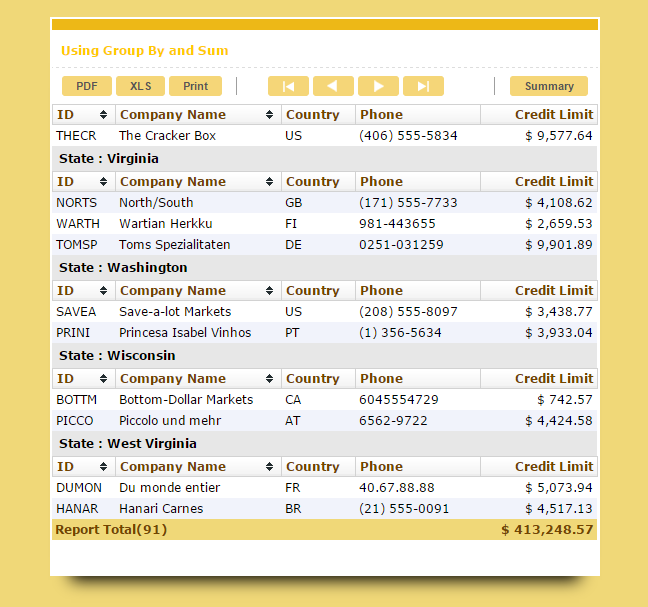
On this sample there will be shown groupping, totals and sumaries from the reporting capabilities.
 |
 |
|
 |
||
 |
 |
Creating a new grid
1. Create a new grid application using customers table.
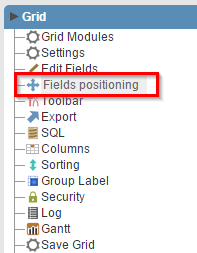
2. Choose CustomerID, CompanyName, Adress, Phone and Country fields in the Fields Positioning menu.
|
|
|
 |
||
|
|
Creating a Group By on the State field
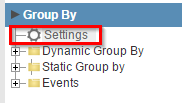
3. Open Group By menu and click in Settings.
|
|
|
 |
||
|
|
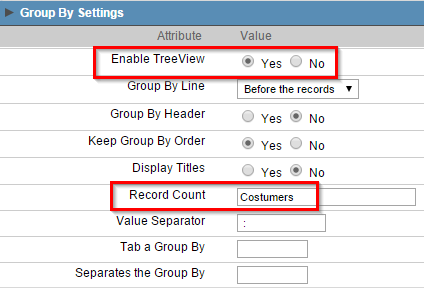
4. Enable Treeview property and set the value Customers in Record Count.
|
|
|
 |
||
|
|
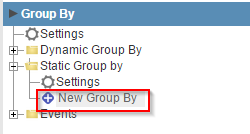
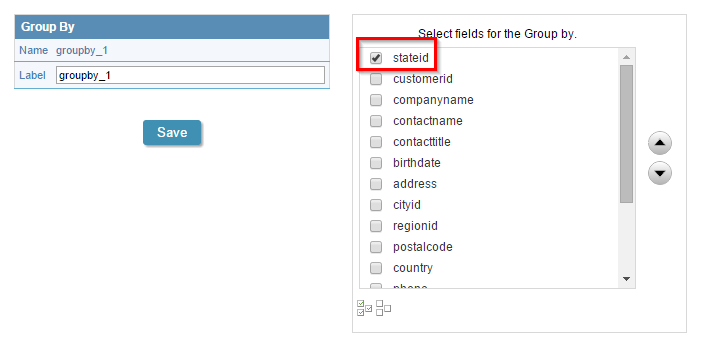
5. Back to Group By, click on "Static Group By>>New Group By" and select the StateID field, then click in Turn On button.
|
|
|
 |
||
|
|
Creating a total on the CreditLimit field
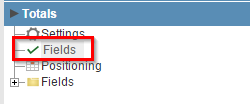
6. Open the Totals folder and click in Select Fields .
|
|
|
 |
||
|
|
7. Select the field CreditLimit and then click in the Sum button.
|
|
|
 |
||
|
|
Setting up the summary page
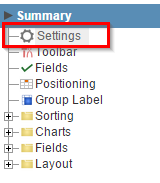
8. Open Summary menu and click on Settings.
|
|
|
 |
||
|
|
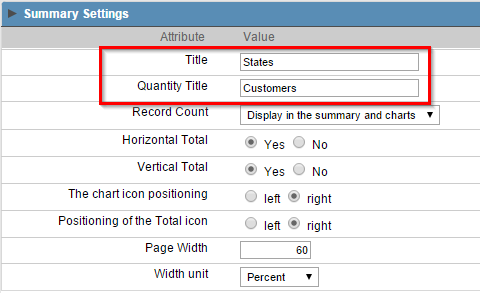
9. Set Title and Quantity Title to States and Customers respectively.
|
|
|
 |
||
|
|
10. Click on the button "Run application"

Click on the button below to see the application running.


