Scriptcase 10 runs on the same environment as Scriptcase 9 (PHP 8.2, 8.1 and 7.3). No project conversion and no new license required: just update, bring your projects, and keep working as usual.
For extra safety, install Scriptcase 10 as a trial alongside your current version. Test your projects in an isolated environment, with no impact on your current installation.
With Scriptcase 10 running, choose one of the two methods below.
On your current installation, go to Settings > Administration > Backup and make a complete backup of your projects. When it finishes, download the .zip file.
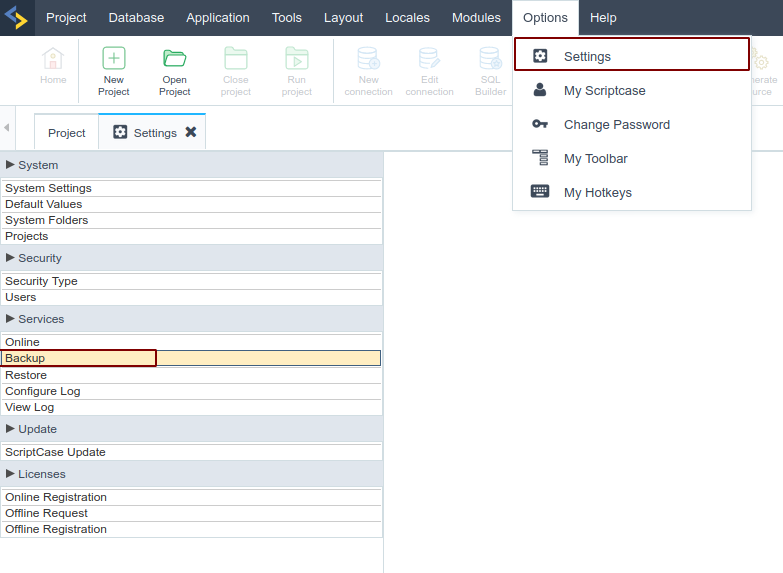
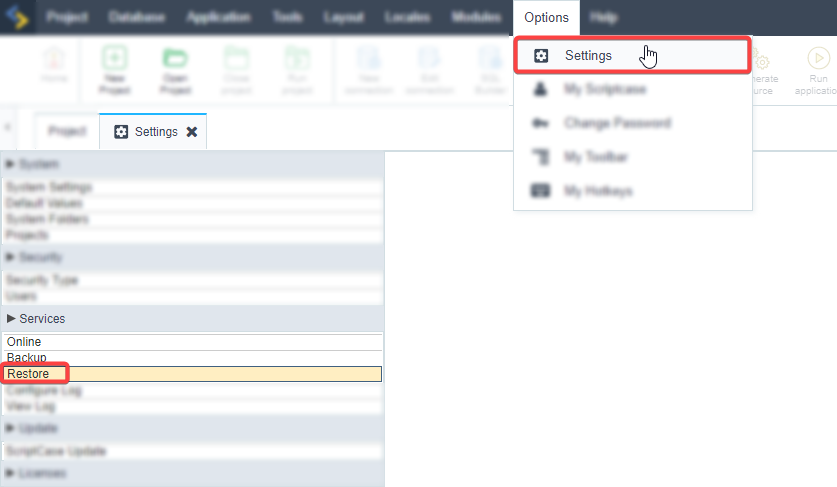
In Scriptcase 10, go to Settings > Services > Restore and restore the backup generated in step 1.
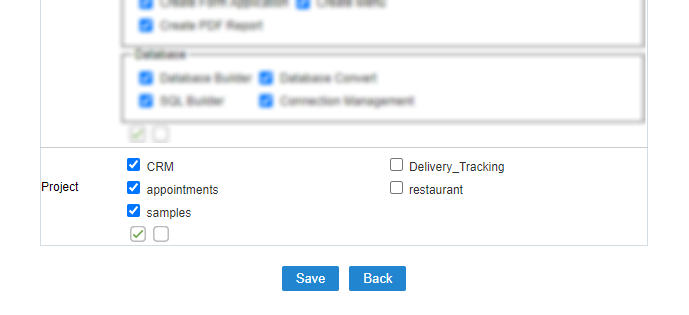
If your projects do not show up, go to Settings > Administration > Security > Users, edit your user and select the restored projects to give them access.
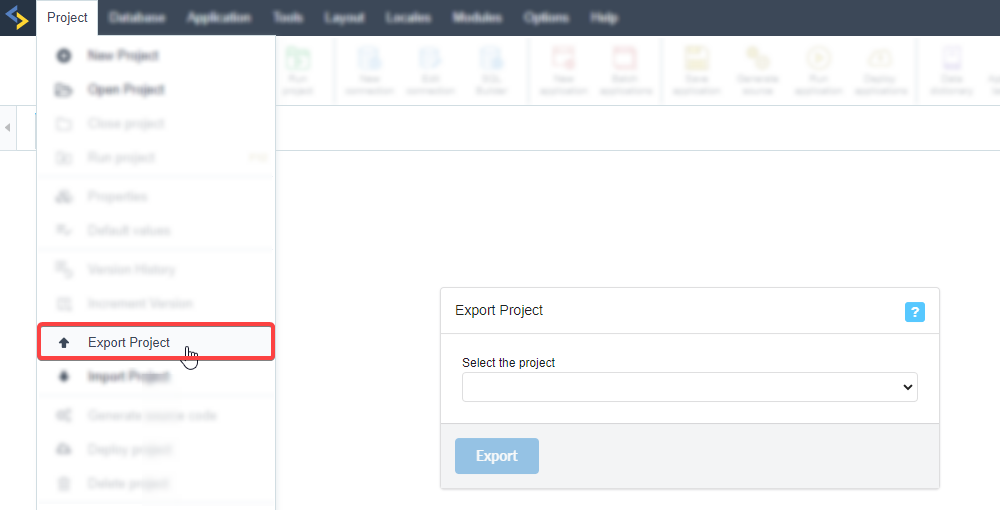
In your current Scriptcase (PHP 8.2, 8.1 or 7.3), open Project > Export Project and export the project you want. When it finishes, download the .zip file.
In Scriptcase 10, go to Project > Import Project and import the .zip generated in step 1.
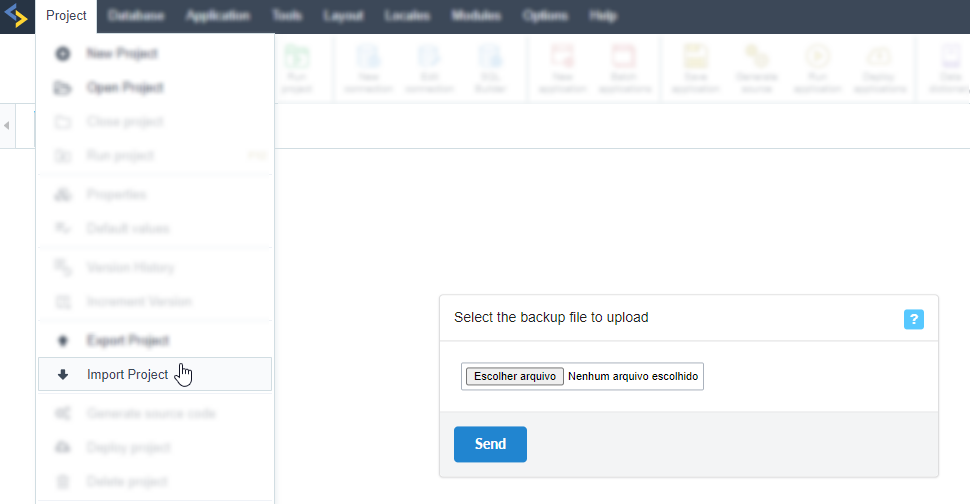
If your projects do not show up, go to Settings > Administration > Security > Users, edit your user and select the imported project to give it access.
Test your projects in Scriptcase 10. Once you confirm everything is working, register your license in the new Scriptcase 10 to complete the move.
How to register your license